- Published on
What is waiting for me? GHDash, a dashboard for pull requests and deployments across repositories
- Authors
- Name
- Markus Palme
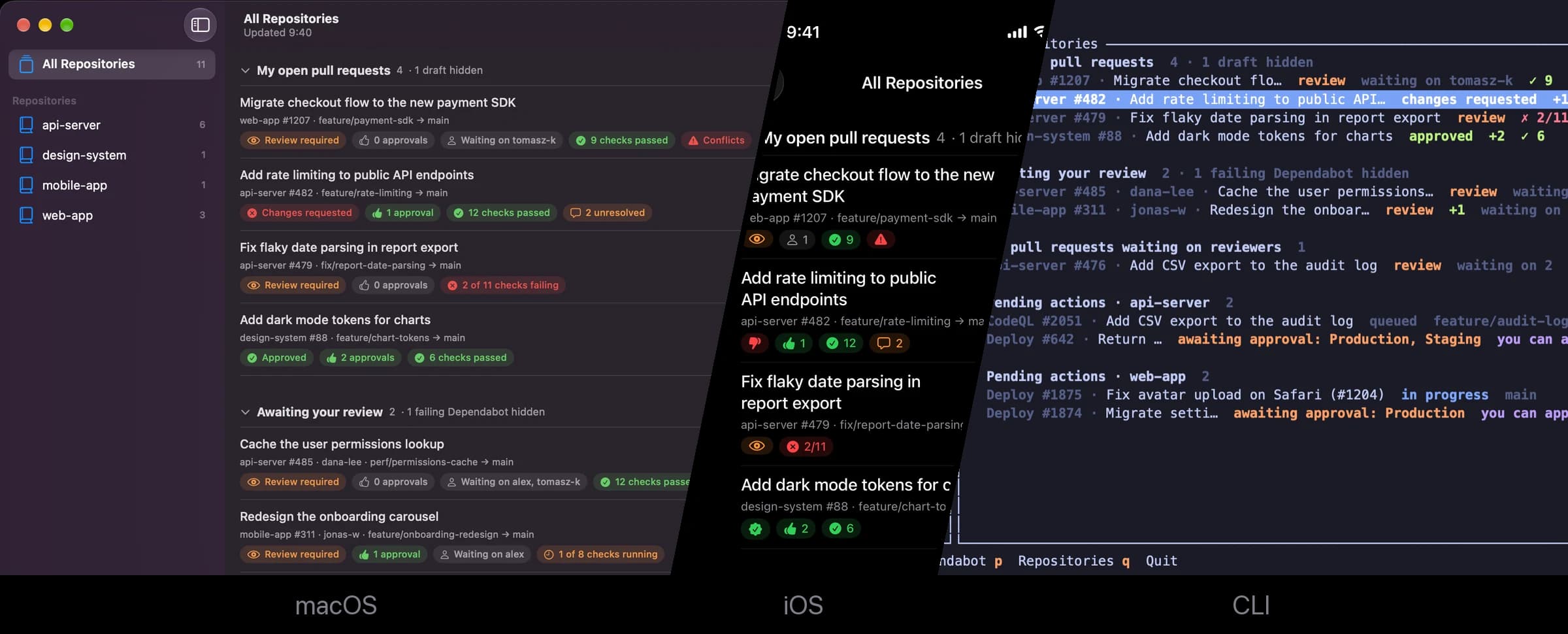
On a typical day I work in many repositories at once: different clients, different projects, and on some of them a product that spans several repositories itself. PRs wait for reviews, Dependabot opens PRs everywhere, and deployments wait for an approval. GitHub shows all of that one repository at a time, so my day used to start with a round of tabs.
All I want to know is: what is waiting for me right now? So I had Claude Code build GHDash, a small dashboard that answers exactly that, as a Mac app, an iPhone app and a terminal app.
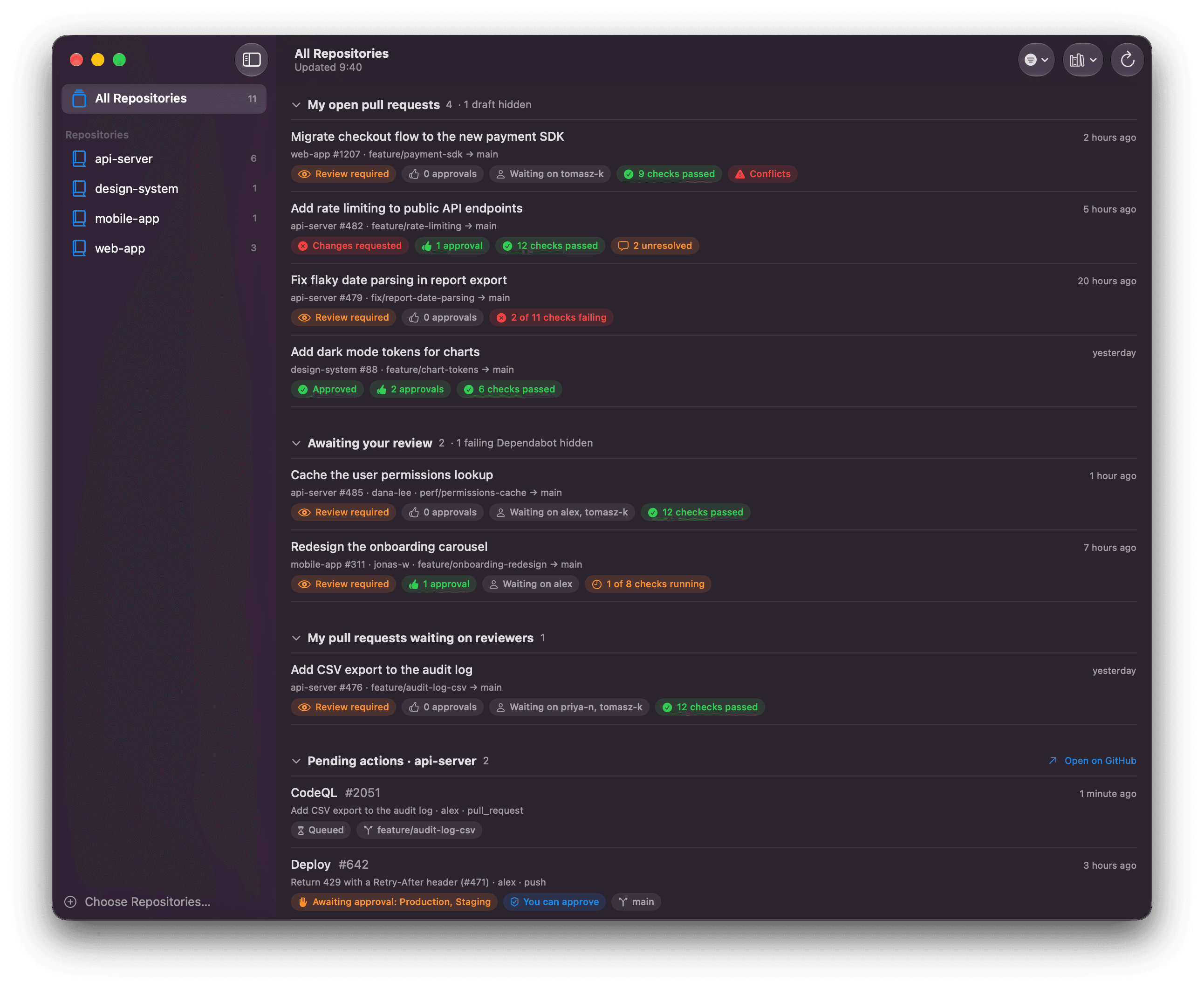
Sorted by whose turn it is
- My open pull requests: my PRs that need something from me, such as conflicts, requested changes or failing checks.
- Awaiting my review: review requests, plus Dependabot PRs nobody has been asked to review.
- Waiting on reviewers: my PRs with nothing left for me to do.
- Pending actions: running workflows and deployments waiting for approval.
Splitting "needs me" from "waiting on others" turned out to be the most useful part. The Dock badge and notifications only count things I can act on, and filters hide drafts and failing Dependabot PRs. Routine approvals, like a green Dependabot bump or a test deployment, are a swipe away, just like archiving a mail.
The terminal version runs in a herdr pane next to my Claude Code sessions. It reports itself as "blocked" while something waits on me.
Two things I learned
- Count only the latest run of each check. GitHub keeps every run on a commit, but its PR page shows only the latest one. If you count all runs, a re-run that passed still shows up as failing.
- Borrow a login where you can. The Mac app simply uses
gh auth token. On iOS, an OAuth app would need approval from every organization owner, so the app takes a personal access token instead.
Built from prompts
All of the code was written by Claude Code from about a hundred prompts. Most were things I noticed while using the dashboard: "it flickers when toggling", "conflicts are my responsibility to fix". For a personal tool, that's the ideal workflow: the requirements come from daily use, and a fix is running a few minutes later.
The code is on GitHub. make demo runs it with made-up data.
Comments
Loading comments…